Free Wi-Fi, Full Access: The Fake Hotspot Trick Emptying American Bank Accounts

Photo: Kwameghana(Bright Kwame Ayisi), CC0, via Wikimedia Commons
The scenario plays out thousands of times a day across the United States. A traveler lands at a busy airport, opens a laptop, and sees a network named something like Airport_Free_WiFi. It connects instantly. It asks for an email address to 'register.' Within minutes, the traveler's session — and possibly their banking credentials — is flowing through hardware controlled by a stranger.
Security researchers have a name for this technique: the evil twin attack. It is not new, but the tools required to pull it off have become cheaper, smaller, and easier to hide in a backpack, and the proliferation of remote work has multiplied the number of Americans conducting sensitive business from public spaces.
What an Evil Twin Actually Is
An evil twin is a rogue wireless access point configured to imitate a legitimate one. An attacker can purchase a portable router or even a small single-board computer for under fifty dollars, rename the network to match the coffee shop's official hotspot, and give it a stronger signal than the real thing. Most devices, eager for connectivity, will gravitate toward the strongest broadcast — no user suspicion required.
In some variations, the rogue network does not even pretend to offer internet access at first. Instead, it presents a convincing captive portal — the familiar login page — that harvests email addresses and passwords from people who assume they are signing in to the venue's official service.
What Happens to Your Data
The consequences depend on the sophistication of the operator:
- Passive interception. Unencrypted traffic — certain websites, apps, or email clients that fail to enforce encryption — can be read in transit.
- Credential harvesting. A fake portal collects the logins of everyone who 'registers' for the network.
- Man-in-the-middle manipulation. In the most aggressive versions, the attacker sits between the victim and the internet, potentially altering what loads in the browser or capturing session tokens that bypass passwords entirely.
Banking apps generally use strong encryption, which blunts the worst outcomes. But the ecosystem of apps, browser extensions, and background services on a typical phone does not all meet that standard, and any single leaked credential can be replayed elsewhere thanks to the password reuse problem that plagues most Americans.
Warning Signs Worth Learning
Complete protection is difficult, but vigilance narrows the window considerably. Watch for:
- Generic or slightly misspelled network names. 'Cafe_Guest_WiFi' versus the actual name printed on the counter menu.
- Portals demanding unusual information. A legitimate hotspot rarely needs your date of birth, phone number, or — certainly — a password.
- Certificate warnings. A browser flagging a security certificate on a site you visit often is a red flag that someone is intercepting the connection. Never click through these warnings to reach a banking site.
- Unexpected slowdowns. Some interception methods degrade performance; a suddenly sluggish connection on an otherwise fast network deserves suspicion.
A Traveler's Defensive Routine
Experts converge on a short list of habits that neutralize most of this threat:
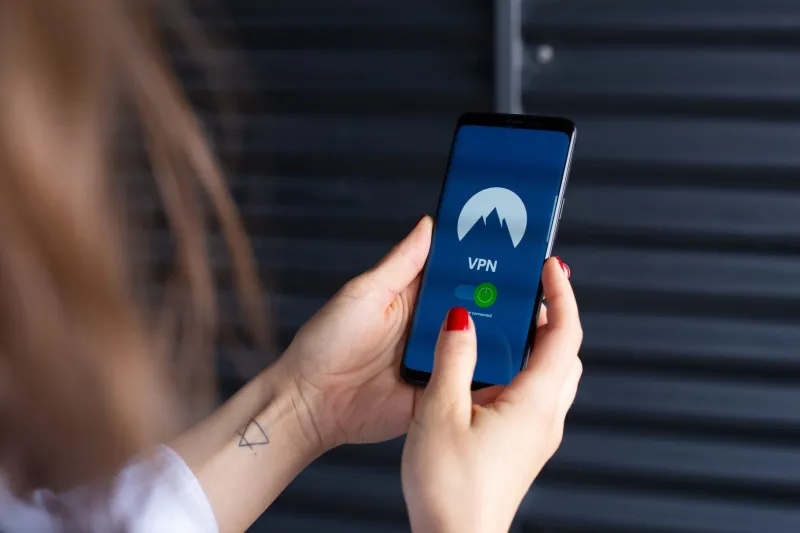
- Use a reputable VPN on any network you do not control. It wraps your traffic in an encrypted tunnel an interceptor cannot read.
- Disable auto-connect. Configure your phone and laptop to ask before joining any new network, so a rogue hotspot cannot silently absorb you.
- Confirm the network name with staff. Thirty seconds at the counter eliminates most evil twins, which rely on plausible naming rather than precision.
- Prefer cellular data for anything sensitive. Tethering to your own phone is almost always safer than shared Wi-Fi.
- Turn off file sharing and Wi-Fi sensing when connecting in public.
- Log out of banking sessions rather than leaving them open in a browser tab.
A Shared Responsibility
Some venues are beginning to respond, deploying enterprise-grade authentication and monitoring for rogue access points on their premises. But the pace of adoption lags far behind the ease of the attack. Until then, the burden falls on the individual — and the calculus is simple. The convenience of free public Wi-Fi is real, but so is the risk. A VPN subscription and a moment of skepticism at the network-selection screen are, for now, the difference between a productive layover and a drained checking account.